What does it do?
Everything a pizza shop runs on, in one system.
Every feature below is read from the same catalog the app is checked against, and each one says where it stands.
- Live1 Works in the product today, proven end to end.
- In testing101 Built into the product. We're still testing it end to end.
- Coming soon34 We're building it. You can't use it yet.
Taking orders
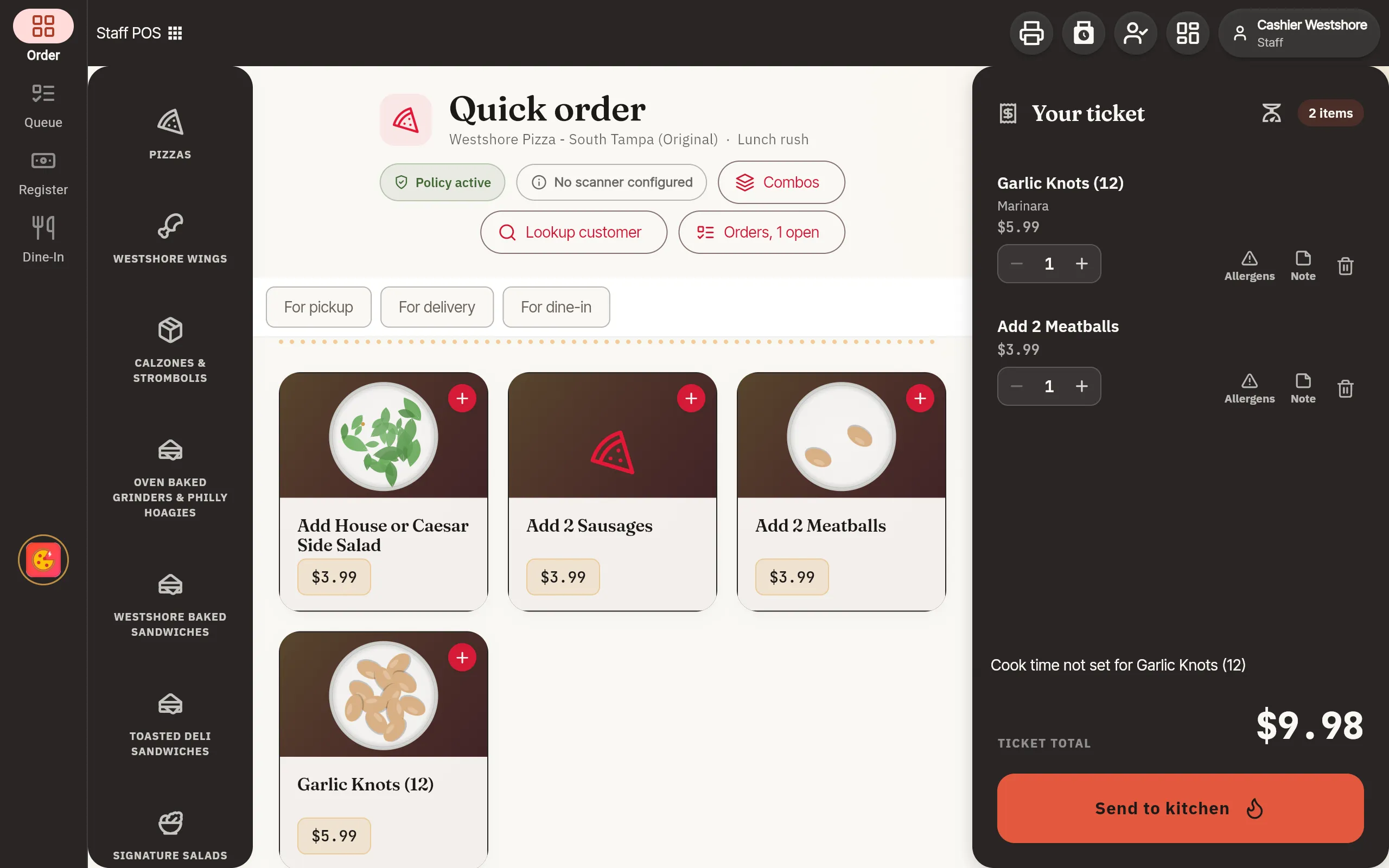
The counter, the phone, your own website, the kiosk and the dining room, all landing in one order queue.
- One order screen for the counter and the phone Pick where the order came from and how it leaves, build it, and send it to the kitchen from one screen.In testing
- Know who's calling A known number brings up the caller's name, recent orders and their usual.In testing
- Every open order in one queue Orders from the counter, the phone and online in one list, with recall, reprint and cancel.In testing
- Take payment: card, cash, tips and deals Charge a card or take cash, add a tip and apply a deal at the register.In testing
- Manager approvals for voids, refunds and comps A cashier asks and a manager approves at the register or on their own phone, with the reason kept.In testing
- Builders that show what's being made Half-and-half pizzas, wings by the count and sauce, calzones and sandwiches, drawn as they're built.In testing
- Dine-in: tables, checks and courses Seat a party, open a check, fire or hold a course, move or join tables, and mark a table clean.In testing
- Floor plans you draw yourself Draw each dining area by drag and drop: tables, shapes, seats and numbers.In testing
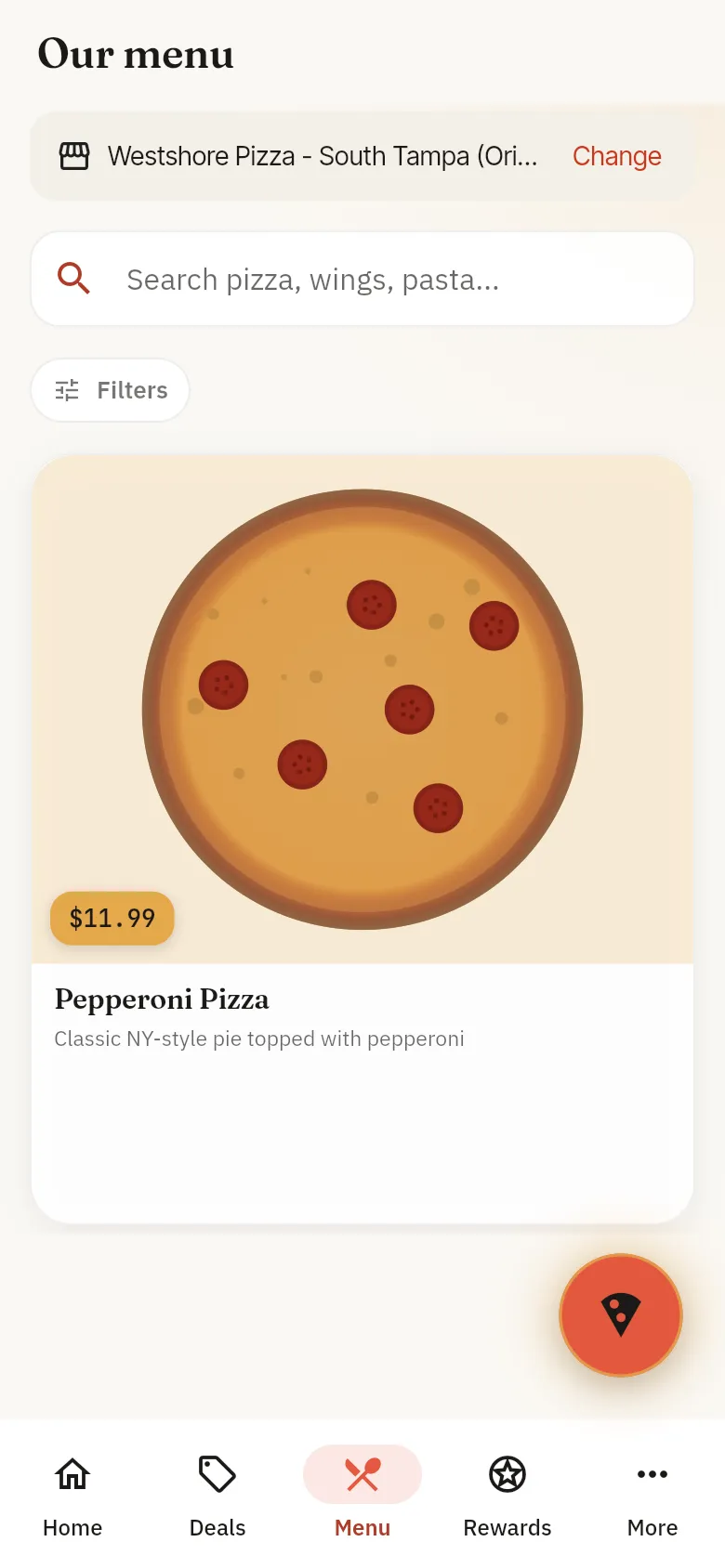
- Online ordering on your own site Guests order from your menu at your prices, for pickup or delivery.In testing
- Order tracking for guests Guests follow their order from the oven to the door.In testing
- Guest accounts Guests see their past orders and rewards, and can see or delete their data.In testing
- Self-order kiosk Big buttons, English or Spanish, builders that show the order, and rewards by phone number.In testing
- Knows when the internet is down The register says what still works and what's waiting to send, and sends it when the connection is back.In testing
- A two-way translator at the counter When a guest speaks another language, each of you reads the other in your own.In testing
- Phone ordering add-on An AI agent answers your phone, takes the order and hands off to a person when it should. You set what it sells and how it greets.In testing
- Catering: packages, quotes and orders Build catering packages, send a quote, and run the order like any other.In testing
- Gift cards Sell and send gift cards, check a balance and freeze a card.In testing
- Loyalty and rewards Set up rewards, enroll a guest at the counter, and let guests see their points.In testing
- Cash orders with the internet down Take cash while offline, and each order is sent exactly once when the connection returns.Coming soon
- Orders from delivery apps, in the same queue Coming soon: Uber Eats, Grubhub, DoorDash. Orders from the delivery apps you use land in the same queue, and you switch each app on or off.Coming soon
The kitchen
The make line, the oven and the prep list, with each ticket sent to the station that makes it.
- Kitchen display A board for each station you set up. Move each ticket along with one big button, and undo a bump you just made.In testing
- Oven tracking See what's in the oven and what comes out next.In testing
- Speed on the line Ticket times for today, and what's running behind.In testing
- Today's prep list What to prep today, on the kitchen screen.In testing
- Kitchen stations Name your stations and send each item to the station that makes it.In testing
- Prep, use-by and allergen labels Print prep, use-by, discard and allergen labels, with the dates worked out for you.In testing
- Tomorrow's forecast, deals to run and waste to cut The insights page reads your history and suggests what to prep, which deals to run and what to cut.In testing
- A prep forecast that updates every 15 minutes The prep list follows what's actually selling through the day.Coming soon
Delivery
Zones you draw on a map, dispatch, and a driver app with proof of delivery.
- Delivery dispatch See which drivers are available, assign or batch runs, call or message a driver, and know where each delivery is.In testing
- The driver app Runs with navigation, proof of delivery with a photo and a signature, earnings and cash, on the driver's own phone.In testing
- Delivery zones on a map Draw zones, set fees and minimums, and pause a zone when you're slammed.In testing
- Wait times set by your rule Quote pickup and delivery times as a fixed number, a fixed number plus the live load, or fully by Max.In testing
- Delivery zones that follow demand Max suggests zone, fee and schedule changes as demand moves, and changes them when your rules allow.Coming soon
- Busy-time delivery fees A delivery fee that rises with the load, by your rule, shown to the guest before they pay.Coming soon
- Courier companies quoted side by side Coming soon: Uber Direct, DoorDash Drive. Quote across courier companies, dispatch the best one and track it, with your own drivers listed first.Coming soon
Max
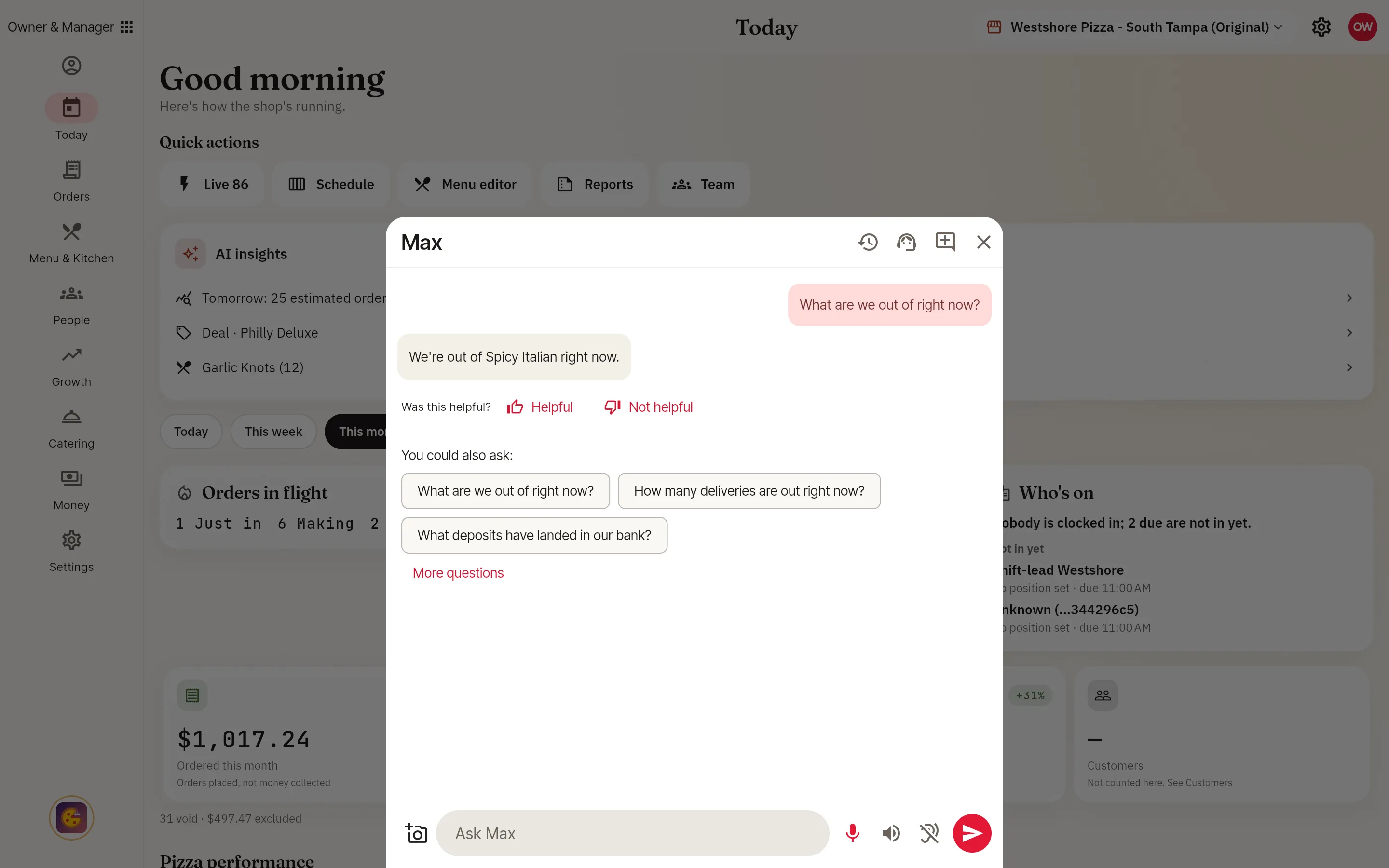
Max reads your own numbers and screens, answers the person asking, and does the work after someone taps OK.
- Ask Max about sales, labor and who's on Type a question and Max answers from your own numbers, the same figures your screens show.Live
- Follow-up questions in the same conversation Ask "and the week before?" and Max knows what you mean. The conversation survives a reload.In testing
- Any period you ask about Last Tuesday, or October against last October: Max reads the period you name and says which one he read.In testing
- Answers across all your stores Ask how every store is doing and Max answers for each one, from the same numbers as your reports.In testing
- Knows who's asking and which screen they're on Max answers each person as who they are, with only what their job lets them see.In testing
- Max does the work, after you tap OK Change a price, take an item off the menu, publish the schedule or assign a driver by asking. Anything that changes your business shows on a card first, and nothing happens until you tap.In testing
- Set how far Max goes on his own Choose, by job and by store, what Max may do alone, what he drafts for you, and what always waits for a person.In testing
- Undo what Max did, and a daily list of it Every change Max makes can be undone, and Today lists what he did and why.In testing
- Three decisions every morning Max brings the calls that matter today, each with the reason and what it's worth, approved in one tap.In testing
- What if? on your own history Test a price change or one more driver against this store's own history and see the likely range before you make it.In testing
- Talk to Max, and hear him answer Press to talk when the line is loud, and Max answers out loud. Start by voice and finish by typing in the same conversation.In testing
- Say "Max" or "Maximus" The wake word starts Max without a tap. A store can add its own words; Max and Maximus always work.In testing
- Max in your meetings, held to your brief Write what Max may say and what he must not. In the meeting, a private channel shows what he tells only you.In testing
- Teach Max your handbook Add handbook pages, policies, recipe cards and checklists, and Max answers from them on the job.In testing
- Ask Max how to do anything On any screen, ask how something works or what to do next, and Max walks you through it.In testing
- Max shows you where, and can press it for you Ask where something is and Max points at it. Ask him to do it and he shows each step, with Stop always on screen. He never touches a PIN, a password or a card number.In testing
- Talk to a person at support, from Max Ask Max for a person, or Max offers one when it can't solve it. You see who is on and the wait first, and nothing is shared until you say yes.In testing
- Memory you can see and delete Tell Max to remember something, or correct him once. See what he keeps about you, your store and your company, and delete any of it.In testing
- Spreadsheets, documents, emails and texts Ask for a spreadsheet or a document from your figures, or an email or a text. You read it first, and nothing is sent until you tap Send.In testing
- Plan the week with Max Say who to include and who not, and Max drafts the schedule in place. Change it in plain words, then publish.In testing
- Max for cooks Ask what's next on the line, what's running behind, what's in the oven or what's off the menu today.In testing
- Max for drivers Ask for your next stop, how many runs are left, what you've earned or how much cash you're holding. Tell Max picked up, on the way, at the door, delivered or not delivered, drop cash, or switch your navigation app.In testing
- Guests can ask Max, and order In your online store and on the kiosk, a guest can ask what's on an item and add it to the order by asking.In testing
- Max checks the work against your standard Take a photo of a pie or a shelf and Max grades it against your own standard and says what to fix. Team quality shows by person and by store.In testing
- Knows the order, table or item you have open Say "this order" or "this table" and Max knows which one you mean.Coming soon
- Routines that run on their own Describe a routine once, and Max runs it on a schedule or when something happens, even with every tablet off.Coming soon
- One timeline of what happened, and why Every forecast, decision and change lands on one store timeline that Max and your team read from.Coming soon
- A live spoken conversation Talk back and forth with Max like a phone call, and interrupt him mid-sentence.Coming soon
- Start Max from Siri or Google Assistant Ask your phone's own assistant to open Max.Coming soon
- Knows who's talking At a full table Max tells people apart, knows each person's role and picks up where each one left off. Opt-in, or on where the law allows. A voice never approves anything.Coming soon
- A Maximus voice, and a tone you set A voice designed for Maximus, and how he talks tuned by your business at every level.Coming soon
- Max joins your phone and video calls Max dials into a supplier call under your brief and coaches you privately while it runs.Coming soon
- Your conversations, on every device Find an old conversation with Max, search it, and pick it up on another device.Coming soon
- Advice on food cost, labor, pricing and operations Ask what a healthy food cost is or how to staff a Friday, and get advice tied to your own numbers.Coming soon
- Your email, calendar, chat and Drive Coming soon: Google, Microsoft. Let Max into the tools you choose, at the level they belong, and turn any connection off at any time.Coming soon
- Forecasts from weather, games and local events Max plans staffing and prep around the weather, the home game and the street fair.Coming soon
- A camera that checks each pie before it's boxed A camera at the cut table compares what was made with what was rung up, and flags it before it leaves.Coming soon
- Help moving from your old system Ask how you did something on your old system and Max shows how it's done here.Coming soon
- The same Max in every app we build Max isn't an add-on. The same Max comes to every point-of-sale app we make, in that trade's own words.Coming soon
Team and schedules
Schedules, the time clock, roles you design and tip pools, with a crew app on every phone.
- Scheduling Build and publish the week, and everyone sees their shifts on their own phone.In testing
- Swaps, open shifts and time off Offer a shift, pick up an open one, ask for time off and set your availability. A manager approves.In testing
- The crew app Your shifts, hours and pay for every place you work, in English or Spanish.In testing
- Time clock Clock in and out at the register or on your phone, with timesheets and labor for the manager.In testing
- People Add, transfer, rehire or suspend a person, and see which certificates each job needs.In testing
- Roles you design Start from a template or describe a job in plain words, and Max proposes the smallest role that fits.In testing
- Tip pools and the payroll export Set pay rates and how tips are pooled, see each person's share, and export hours and tips for payroll.In testing
- Team messages Messages and team channels inside the app.In testing
- Shift, closing and incident reports Pick a report and Max asks the questions one at a time. Bring your own form and Max fills it in.In testing
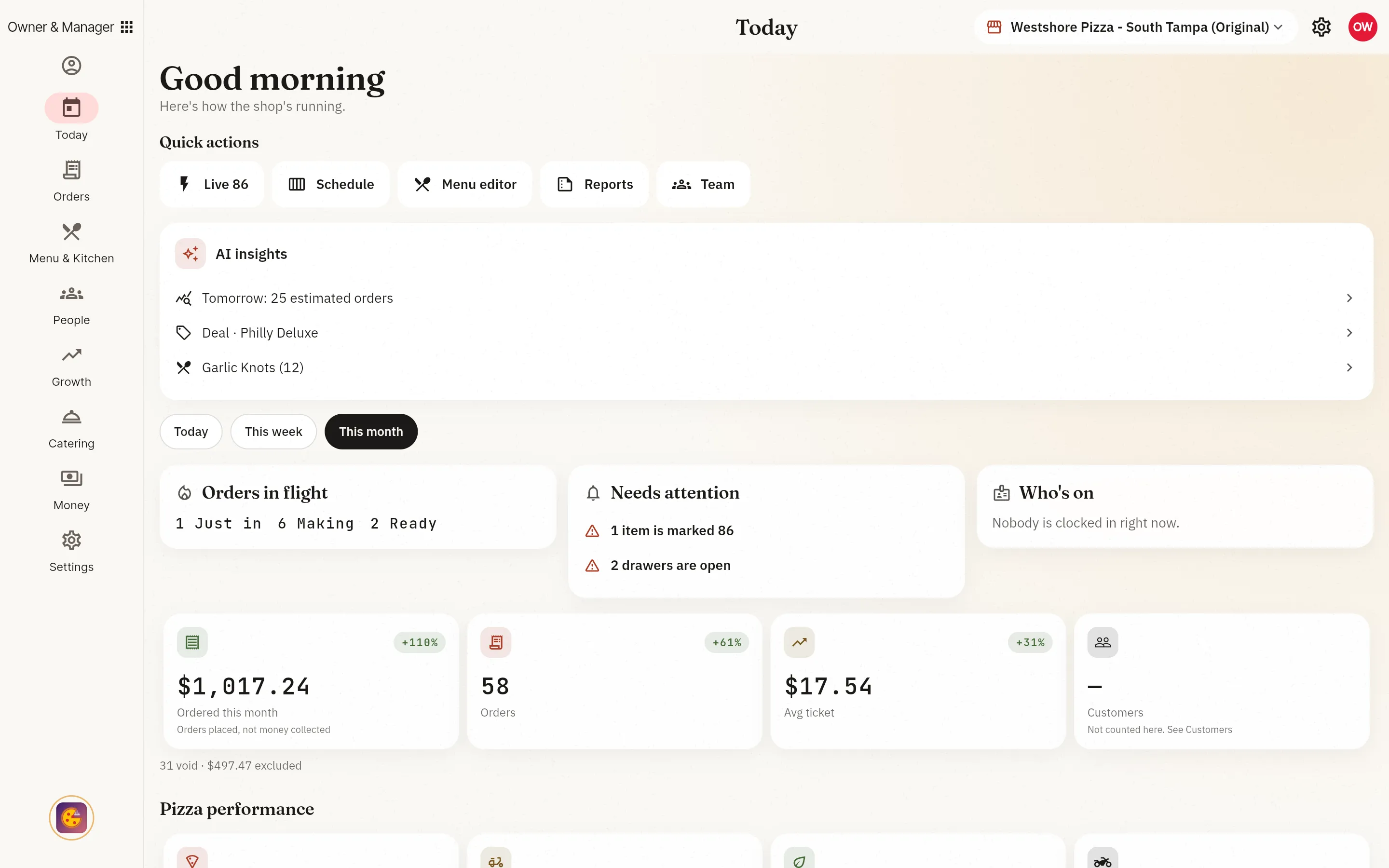
- The manager's shift page Who's on, the orders in flight, open drawers by name, and anything that needs you.In testing
- NebusChat, one team chat that reaches Google Chat and Microsoft Teams Coming soon: Google Chat, Microsoft Teams. Message your team and your guests' orders in one place, and bridge it to the chat your people already use, switched on or off by you.Coming soon
- A clock-in that follows the schedule Ask for or require a clock-in at sign-in, send an early or unscheduled punch to a manager, and close a forgotten punch on its own.Coming soon
Money and reports
Card and cash, drawers, fees and the reports your accountant asks for.
- Today Sales, orders and what needs you, the moment you open the app.In testing
- Sales, tax, deposits and the month-end pack Sales and tax by day, refunds and comps, card deposits matched to the bank, profit and loss, and the bookkeeper's month-end pack.In testing
- Cash drawers Open, count, drop, pay out and close a drawer, with the over or short explained.In testing
- Card payments through Stripe Set up card payments in the app. Processing runs through Stripe.In testing
- Fee rules Delivery, service and card fees, set as rules and shown to guests before they pay.In testing
- A payment account for each store Each store can settle to its own payment account.In testing
- Your plan, usage and billing in the app See your plan and what you've used this period, change plans or cancel, all in the app.In testing
- Export all your data Download your business's data whenever you want it.In testing
- Your books and a payroll export file Coming soon: QuickBooks, Xero, Gusto. Connect your books and payroll at the level they belong, map your accounts, and keep them in sync.Coming soon
- Royalties and the ad fund Set each store's royalty and ad-fund rate, see what each store owes for a period, and collect it.Coming soon
- More card readers and payment processors, your choice Pick the card readers and processors that fit your counter, set by policy for a store or the whole company.Coming soon
Marketing and your website
Deals, loyalty, reviews and a website you build in the app.
- Deals, coupons and campaigns Run deals and coupons, plan campaigns, and draft social posts from what's live.In testing
- Reviews Your reviews in one place, with a summary of what guests say.In testing
- Your website, built in the app Build and edit your site's pages, let Max draft them, and point your own web address at it.In testing
- Order boards and menu boards Show the pickup board and your menu on any screen in the store, with the brand deciding what each store may show.In testing
- Sell on Shopify Coming soon: Shopify. Connect a Shopify store, and its orders arrive in the same queue as every other order.Coming soon
- Search, social and local listings, planned and scheduled with Max Coming soon: Google Ads, Microsoft Advertising, Google Business Profile, Facebook, Instagram, TikTok. Plan, schedule and track posts, ads and local listings in one calendar, tied to your deals and loyalty, run by Max, your staff or a managed service.Coming soon
- Gift cards and rewards in your guests' phone wallets Coming soon: Apple Wallet, Google Wallet. Send a gift card or a rewards pass straight to a guest's phone wallet.Coming soon
- Design your own boards Lay out menu boards and signs by drag and drop, and send them to any screen in the brand.Coming soon
More than one store
A brand menu, standards and side-by-side numbers for every store you run.
- Add and manage locations Add a store, rename it, pause it or reopen it, and switch between stores.In testing
- The franchise console Every store on one screen, each with its own page.In testing
- One brand menu Set the brand's menu and decide what each store may change.In testing
- Compare your stores Your stores side by side on sales, speed and labor.In testing
- Brand standards Your standards, and which stores meet them.In testing
- Open a new store in steps Create the location, find it on the map, add its devices and work through the cutover checklist.In testing
- Switch from another POS Bring your menu and data across from the system you use today.In testing
Setup and security
Devices, sign-in, rules at every level and a record of who did what.
- Sign up and pick a plan Start your shop online and choose the plan that fits.In testing
- A setup checklist See what's left to set up, and jump straight to it.In testing
- PIN sign-in on shared registers Pick your name and type your PIN on a shared register. A manager sets up a new device in a minute.In testing
- Devices, printers and peripherals See every paired device, unpair one, and set up printers and other hardware.In testing
- Your rules, at every level Set how the business runs, for the whole company, a brand or one store, including store hours.In testing
- Compliance center Data, privacy and compliance settings in one place.In testing
- Feedback from any screen Report a problem or ask for a feature from any screen, or just tell Max.In testing
- One alerts list you can clear See what needs your attention in one place, acknowledge each alert, or ask Max what is open.In testing
- Who did what, searchable Search the record of changes and approvals by person, action or day, or ask Max.In testing
- Move between apps with one sign-in Open another of your apps at the screen you need, without signing in again.In testing
- English and Spanish Every app works in English and Spanish, and follows each person's choice.In testing
- Passkeys, two-step sign-in and approve on your phone Sign in with a passkey, require a second step by your rule, or approve a sign-in from your own phone.Coming soon
- Your store's devices: probes, plugs and doors Coming soon: Home Assistant. Connect the devices you already own. Probes fill your food-safety log, and anything that heats or unlocks waits for a person's OK.Coming soon
- Cameras that alert the right person Connect your cameras and get a push with a snapshot when something needs you.Coming soon
- Order from a smart speaker Coming soon: Alexa. Guests reorder and ask where their order is from a smart speaker.Coming soon
Where do you want to start?
- Book a demo
Pick a time with a person.
- Try the demo
Open a demo shop and press around.
- Sign up
Not open yet. Here's how to get in first.
Ask Max anything about PizzaOS.